10 Million Pixels Demo Walkthrough
Master the free 50,000-pixel demo so launch day feels familiar.
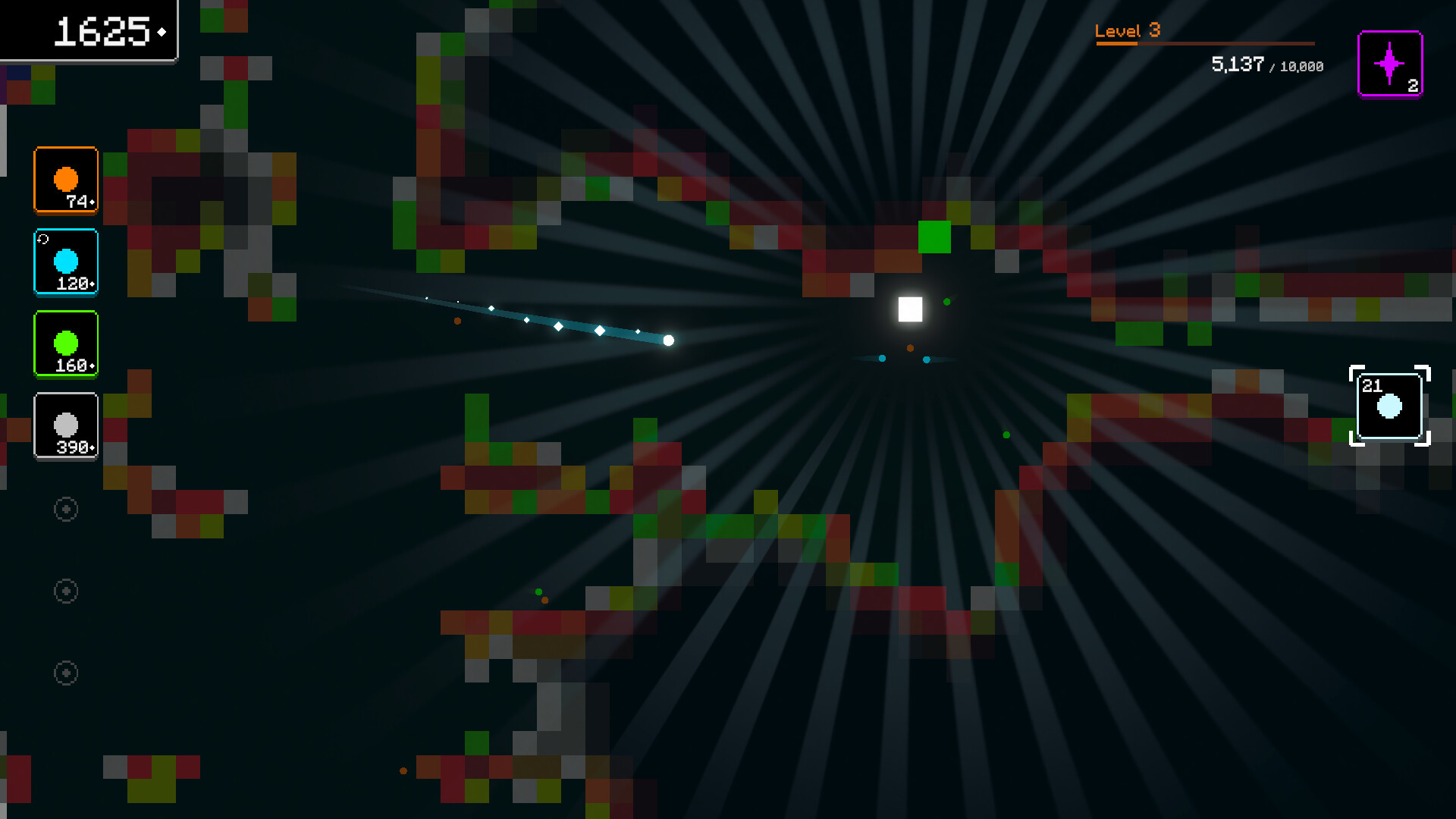
The 10 Million Pixels free demo on Steam is the best way to learn BATTLE LAB’s incremental mining loop before the full Windows release on November 27, 2026. The demo went live on October 16, 2026, and it is intentionally smaller: 50,000 pixels and six balls instead of the full game’s 10 million pixels and seven balls. This walkthrough shows how to spend demo hours well—without inventing systems the demo does not include.
New to the genre fantasy? Skim Getting Started for the one-minute loop, then return here for a session plan. When your spends feel random, jump to Upgrades. When you want to rehearse the endgame mindset, read Find the Golden Pixel even if the demo’s scale is smaller.
What the demo is for
The demo answers three questions:
- Do you enjoy shooting balls to mine pixels as currency?
- Can you manage an upgrade economy without constant hand-holding?
- Does the audiovisual mood—Pulsewith’s music included—keep you digging for long sessions?
It is not a tiny copy of the entire Golden Pixel campaign with a participation trophy ending. Treat it as a sandbox exam: if you leave with cleaner tunnels, clearer ball roles, and a written upgrade priority list, you won the demo.
Demo specs at a glance
| Feature | Demo | Full game |
|---|---|---|
| Pixels | 50,000 | 10,000,000 |
| Balls | 6 | 7 |
| Platform | Steam / Windows | Steam / Windows |
| multiplayer | None | None |
| Price | Free | Paid Steam release |
Confirm dates and store details on Release Date and keep an eye on Updates. Hardware notes live under System Requirements in Tools.
Session 1 — Learn the tools (30–45 minutes)
Goal: Name a job for each ball you unlock.
- Open clean lines with Piercing and Blue Directional Ball (straight vertical/horizontal).
- Break clusters with Red Smash Ball (area damage on impact).
- Leave lingering pressure with Green Poison Ball (poison spreads over time).
- Squeeze dense pockets with Yellow Lightning Ball (electric charges nearby pixels).
- If the Golden Ball is available in your demo build, fire one careful scout shot into a readable space, then stop. Fragile plus gravitational pull means information first, ego never.
Do not rush to empty the kit. Six balls are enough identity for the whole demo if each has a role. Deeper notes sit on Ball Abilities and Players; strength snapshots belong on the Tier List.
Session 2 — Economy discipline (45–60 minutes)
Goal: Hit upgrade breakpoints on purpose.
Mine pixels, then spend on upgrade-pixels that unlock or improve balls and feed the skill tree. Prioritize speed, damage, and recall early so practice shots teach more per minute. Slot poison and lightning nodes when those balls are already part of your rotation. Watch for purple upgrade pixels—they signal milestone spends, not impulse cosmetics.
Write three priorities on a notepad before you open the menu. If a purchase is not on the list, skip it until the next session. That habit scales better than any single damage node when the world grows to 10 million pixels.
Session 3 — Map hygiene (45 minutes)
Goal: Leave a world you could explain to a friend.
Use Blue Directional shafts on a sparse grid. Connect with Piercing corridors. Clear one quadrant at a time with smash, poison, or lightning instead of nibbling everywhere. Handcrafted objects—when you notice them—become landmarks. Procedural noise is manageable when your own tunnels are legible.
This session is secret training for the Golden Pixel hunt. Chaotic caves make scouting expensive; clean lattices make Golden Ball hints actionable. Even inside 50,000 pixels, pretend you are narrowing a search cone.
Session 4 — Stress test your plan (30 minutes)
Goal: Play one run where you refuse bad habits.
Rules of the stress test:
- No random unlocks.
- No Golden Ball panic tosses into fog.
- No abandoning a shaft mid-grid because a shiny pocket appeared sideways—finish the survey line, then detour.
- After the session, note one upgrade you should have bought earlier and one you correctly delayed.
Bring those notes into Upgrades and adjust your launch-day plan.
What not to expect from the demo
- Do not expect the full seven-ball roster or the complete 10-million-pixel volume.
- Do not invent codes, daily login lists, or multiplayer lobbies—this game is single-player.
- Do not assume every YouTube speedrun route is demo-legal or still current; verify against your build.
- Do not skip the Guides Hub after the demo; the wiki’s child pages exist to carry demo lessons into launch week.
After you finish the demo
- Wishlist or prepare purchase plans for the November 27, 2026 Steam release.
- Re-read Find the Golden Pixel with your new map habits in mind.
- Lock a starter skill-tree order in Upgrades.
- Recheck System Requirements if you played on a borrowed PC.
- Watch Updates as launch approaches so patch notes do not surprise you.
The demo’s job is to make the first hour of the full game feel like hour five of practice. Shoot with intent, spend with a list, dig with a grid, and walk into 10 million pixels already knowing how you play.
Frequently Asked Questions
Quick answers to the most common questions.
How big is the 10 Million Pixels demo?
The free Steam demo includes 50,000 pixels and six balls. The full game expands to 10 million pixels and seven balls.
When did the demo launch?
The demo went live on Steam on October 16, 2026. The full game is scheduled for November 27, 2026.
Is the demo free?
Yes. Download it from the 10 Million Pixels Steam page. It is single-player on Windows, matching the full game’s platform focus.
Should I save Golden Balls in the demo?
If the Golden Ball appears in your demo build, treat it as a fragile scout that gravitates toward the Golden Pixel’s location. Practice careful timing rather than spamming it.
What should I do after beating or finishing the demo content?
Review Upgrades and Find the Golden Pixel, confirm system requirements, and follow Updates through the November 27, 2026 launch.